In today’s digital revolution, our smartphone is no longer just a means of communication — it has become our entire identity. But do you know that a small desire for convenience could collapse your entire digital empire? We’re talking about Third-Party Apps. This topic has become so serious today that cybersecurity agencies around the world are now on high alert.
What Are Third-Party Apps and How Do They Enter Our Phones?
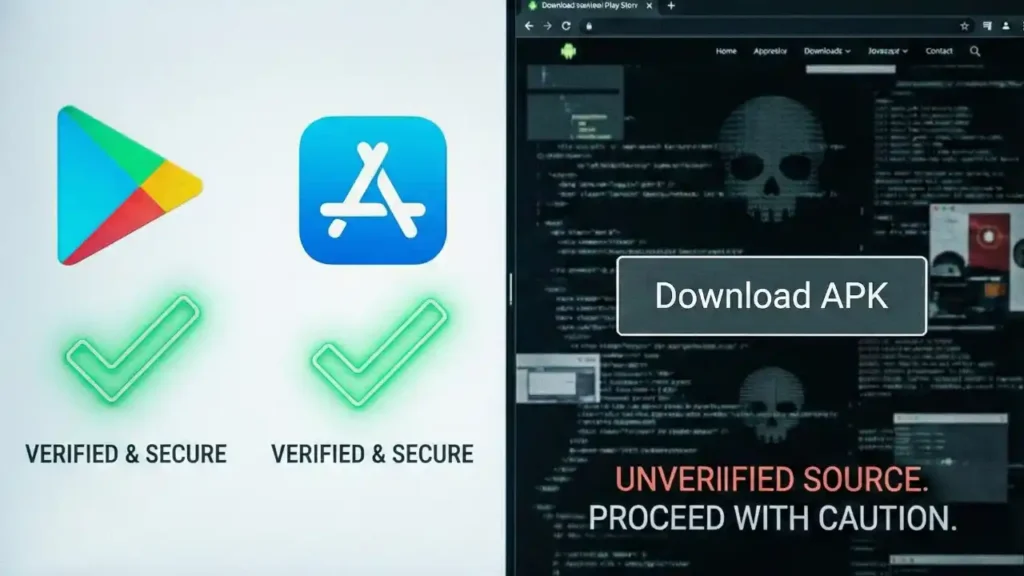
In simple terms, Third-Party Apps are applications that are not developed by your phone’s official manufacturer (like Apple or Samsung) or operating system (Google Android). Normally, we download apps from Google Play Store or Apple App Store. However, when a user downloads an APK file directly from a website or uses an unofficial store, it is considered a third-party source.
In the digital era of 2026, the charm of such apps has grown because they often come with ‘Modded’ or ‘Unlocked’ features — the ones that require payment in official apps. But experts believe these “free” features actually come at the cost of your privacy.
The Rising Graph of Cyber Attacks in 2026
The nature of cybercrimes has changed worldwide. Instead of directly attacking servers, hackers now target users’ personal devices. According to recent reports, countries across the U.S., Europe, and Asia have seen a 25% rise in attacks carried out through third-party apps.
World-Wide Cyber Threat Analysis (2026)
| Region | Key Threat | Affected Sector |
|---|---|---|
| North America | Spyware & Adware | Corporate Data & Privacy |
| Europe | Banking Trojans | Personal Finance |
| Asia (India, Japan) | Malware & OTP Scams | E-commerce & Banking |
| Middle East | Surveillance Malware | Government & Defense |
Third-Party Apps Security Risks: Major Dangers You Should Know
When you install an app from an unofficial source, you unknowingly open your phone’s door to hackers. Here are some of the biggest Third-Party Apps Security Risks you must know about:
- Malware Injection: Many apps hide ‘Trojan’ viruses. These apps appear to work normally but secretly give control of your phone to a hacker.
- Data Exfiltration: Your personal data like contacts, private photos, and email logs can be sold on the dark web.
- Financial Loss: In 2026, one of the biggest threats is the ‘Screen Overlay’ technique, where hackers overlay a fake screen on your banking app to steal your password.
- Spying and Surveillance: Hackers can access your microphone or camera without your permission to spy on you.
CERT-In Warning: India’s premier cybersecurity agency recently issued a warning that ‘Video Editing’ and ‘Gaming’ apps downloaded from unofficial websites are targeting Indian users’ banking credentials. See the official report here.
Security Measures: How to Protect Yourself
Digital security is not rocket science; it’s all about consistent awareness. By following the steps below, you can strengthen your Mobile Security easily.
1. Always Use the Official Store
Apps on Google Play Store and Apple App Store go through ‘Play Protect’ and other security checks before being released. Never make the mistake of installing APK files manually.
2. Carefully Examine App Permissions
Does a ‘Flashlight’ app really need access to your gallery or contacts? Of course not. If an app asks for unnecessary permissions, it’s a clear red flag.
3. Trust Reviews and Ratings — But Be Cautious
Don’t just look at star ratings — read the ‘Negative Reviews’. Scammers often use bots to post fake positive reviews. Pay more attention to the recent feedback.
4. Use Reliable Antimalware Software
Install a trustworthy security app like Norton or Avast that can perform real-time scanning for suspicious apps.
A Mandatory Lifestyle for 2026
Just as we maintain hygiene for our physical health, Digital Hygiene is equally important. Remove all the apps you no longer use. Change your passwords every three months and never disable Two-Factor Authentication (2FA).
Also Read